
How to Remove Location From Photos on Android
By Arthur L. · · 6 min read
Short answer
To remove location from photos on Android, turn off the location setting in your camera app so new photos save no GPS. For photos you already took, tick Remove location data when you share from Samsung Gallery, or clean the file with a metadata remover. Google Photos cannot delete a location your camera saved.
Find where your photo was taken
Upload a photo: GeoSpy AI reads its GPS data if it has any, and otherwise estimates the place from what it shows.
An Android phone writes GPS coordinates into each photo while its camera app is allowed to save location, and a phone’s GPS is typically accurate to within 4.9 meters (16 feet) under open sky. That is close enough to point at a single house. Getting rid of it is two separate jobs: stopping new photos from recording it, and cleaning the photos you already have.
Neither job hides the scene itself. With no GPS in the file, an AI model can still estimate a photo’s location from its content, so the last section covers what the picture gives away. On an iPhone, follow the iPhone location guide instead; for Windows, Mac and every other platform, see how to remove EXIF data.
How do I stop my Android camera from saving location?
Turn off the location option in your camera app’s settings. On a Pixel it is Save location, under Settings > More settings; on a Samsung Galaxy it is Location tags, in the camera settings. Other brands use other names, listed below. Photos you already took keep their GPS.
| Phone | Setting in the camera app |
|---|---|
| Google Pixel | Save location (Settings > More settings) |
| Samsung Galaxy | Location tags |
| Motorola, Sony | Save location |
| OnePlus | Store location data |
| Xiaomi | Save location info |
| OPPO | Location |
| Vivo | Geographic locations |
| Nokia | Location tag |
| LG | Tag locations |
| HTC | Geo-tag photos |
Google notes the trade-off: photos without location may not show up in your map view, in location searches or in Memories made from your trips. If your camera app has no such switch, take away its location permission instead. Open Settings > Apps, choose the camera app, tap Permissions > Location and select Don’t allow. Google’s Android Help says an app set to Don’t allow cannot use that permission, even while you are using the app.
Can Google Photos remove the location from a photo?
Only some locations. Google Photos lets you remove an estimated location, or one you added by hand, with More > Edit > Remove location. A location your camera saved can’t be updated or removed in Google Photos, and it stays in any copy you download and email.
Google’s help page states the limit plainly. Select several photos at once and the app may tell you it can’t edit location information added by your camera, and ask you to deselect those pictures. What Google Photos does decide is who sees a location inside the app: apart from partner sharing, new albums, links and conversations leave it out unless you switch Share photo locations on, and estimated locations are not shared at all. The file is another matter. A photo you download and email still carries the location your phone recorded, so treat the in-app switch as a viewing control rather than a way to clean the file. Photo location in Google Photos explains both kinds of location.
How do I share a Samsung photo without its location?
In Samsung Gallery, long-press to select the photos, tap Share, tick Remove location data, then pick the app. Samsung says the person who receives them cannot see where they were taken when they swipe up on the image. Samsung’s guide covers Galaxy phones on One UI 3.0 or later.
- Step 1Select the photosOpen Gallery, long-press one photo, then tap any others you want to send.
- Step 2Tap ShareThe share screen opens with the apps you can send to.
- Step 3Tick Remove location dataDo it before you choose where the photos go.
- Step 4Choose the appSend as usual. On the receiving phone, swiping up on the picture shows no location.
Samsung Messages has a related setting. For the Galaxy Z Fold6 and Z Flip6, Samsung documents a Remove location from shared images option in Messages, under the menu, then Settings > More settings, which strips GPS metadata from photos before they are sent; the Maximum restrictions mode of Auto Blocker switches it on.
What strips location on any Android phone?
A tool that cleans the file itself works whatever the brand. The photo metadata remover on this site strips GPS and the other EXIF data in your browser, and the photo is not uploaded. Send the cleaned copy rather than the original.
This route also handles pictures that came from another phone or a camera, and the camera-tagged files Google Photos will not edit. A screenshot loses the original tags as well, at screen resolution; do screenshots have location data explains what a screenshot saves instead. EXIF editor apps do the job on the phone itself, but read what an app does with your files before you hand it your camera roll.
How can I tell if the location is really gone?
Open the copy you plan to send in a metadata viewer and look for GPS latitude and longitude. Empty fields mean the file has no coordinates. For an app you share through often, run a test: send a picture with GPS to yourself through it and inspect what arrives.
The photo metadata viewer reads the GPS position, date and camera details in the browser. Look at the copy, not the original in your gallery, which keeps its tags. If Google Photos shows a place for a picture whose file has no GPS, that place is an estimate or one you added: the app can guess a location from landmarks and your other photos, and the guess lives in Google Photos, not in the file. To read a photo’s location on the phone itself, see how to find where a picture was taken on Android.
Can AI tell where a photo without GPS was taken?
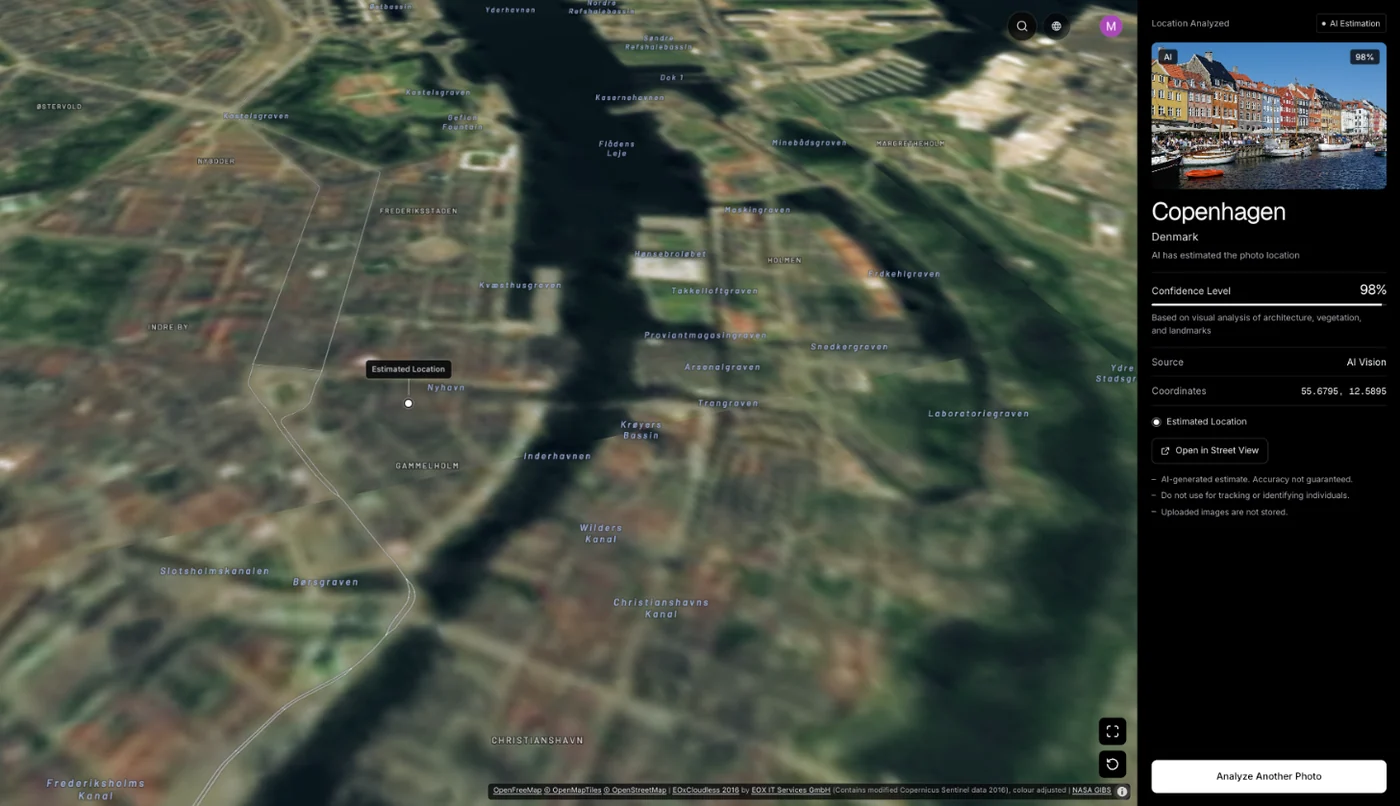
It can estimate it. GeoSpy reads the GPS position from the file when it has one; without GPS, an AI model estimates the place from what the photo shows and returns a location with a confidence score on a map. A clean file can still show the street outside.
Before you share, look at the picture as a stranger would: street signs, house numbers, license plates, a shop name, the view from a window or a skyline. Crop or blur whatever points to your street. How one selfie can reveal where you live shows how much a background holds.
Frequently asked questions
- Does turning off location on Android remove it from old photos?
- No. The camera setting only decides what new photos save. Pictures already in your gallery keep their GPS until you clean the file or leave the location out when you share.
- Do messaging apps remove location from Android photos?
- It depends on the app, so test it: send a photo with GPS through the app to yourself, save what arrives and open it in a metadata viewer. Which apps strip EXIF data explains why apps that publish photos usually drop the location while file transfers keep it.
- Why does Google Photos still show a location after I removed the GPS?
- Google Photos can estimate a location from landmarks and your other photos. That estimate is stored in Google Photos, not in the file, and Google says estimated locations are not shared. Remove it with More > Edit > Remove location.
- Does the camera setting cover videos too?
- Yes. Google’s Pixel Camera help calls Save location the switch for photo and video location stamps, and Samsung says Location tags adds location data to new photos and videos. Videos you already recorded keep theirs.
- Can I remove location from a photo someone sent me?
- Yes, if you have the file: run it through a metadata remover before you pass it on. A copy sent through a chat or social app may have lost its GPS already, and a metadata viewer tells you which.
Sources
- Understand, find & edit your photos’ locations (Android) — Google Photos HelpRemove location for estimated and added locations; camera-saved locations cannot be updated or removed; Share photo locations; downloaded and emailed copies keep the original location.
- Change your camera location settings — Google Photos HelpThe name of the camera’s location setting on Google, Samsung, Motorola, OnePlus, Xiaomi and other Android brands.
- Removing Location Data from Photos in the Gallery — Samsung New ZealandGallery > Share > Remove location data, for Galaxy phones on One UI 3.0 or later.
- GPS Accuracy — GPS.govGPS-enabled smartphones are typically accurate to within a 4.9 m (16 ft) radius under open sky.
Keep reading
How to Remove EXIF Data From Your Photos
Strip GPS coordinates, timestamps and the camera serial number from a photo before you share it — on iPhone, Android, Windows and macOS, with no extra tools.
· 8 min read
How to Turn Off Location on iPhone Photos
Three switches control location on iPhone photos: one for new shots, one for photos you already took, one for each share. Steps for iOS 26 and iOS 27.
· 8 min read
Photo Location in Google Photos: Read It, Remove It
Google Photos shows where a photo was taken and can estimate it when there is no GPS tag. What it will not do is remove a location your camera wrote.
· 4 min read
How to Find Where a Picture Was Taken on Android
How to find where a picture was taken on Android: swipe up in Google Photos or Samsung Gallery. No tag? Read the clues or estimate it.
· 6 min read