
Can AI guess where
this photo was taken?
Upload any photo and discover its estimated location
in seconds
Free to try — in the GeoSpy iPhone app. Unlimited on the web with a subscription.
Drop your photo here
or browse to choose a file
Supports JPG, PNG • Max 10MB
Guess where you are, from a street-level view
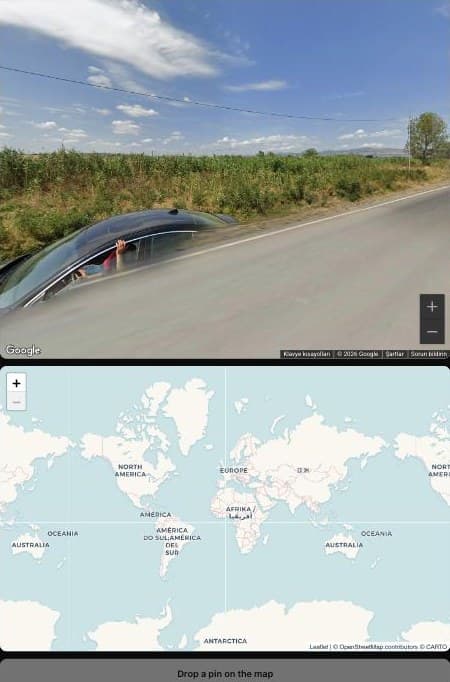
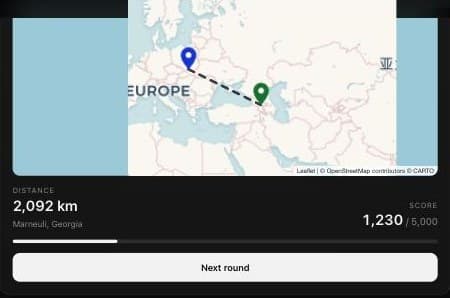
The analyser reads a photo you already have. The game turns it around: you are dropped somewhere on Earth with a Street View panorama and a world map, and you work out where you are. Two rounds, up to 5,000 points each, scored by how close your pin lands.
It runs in your browser. No account, no download, nothing to pay — a free GeoGuessr alternative, and good practice for reading the same clues the analyser looks for: road markings, signage, vegetation, which side of the road traffic drives on.
Check a photo without leaving the page
Right-click any photo on the web and choose “Find where this photo was taken”. The place, a confidence score and a map open in Chrome’s side panel. Free to install; the analysis uses your GeoSpy Premium.
See the Chrome extension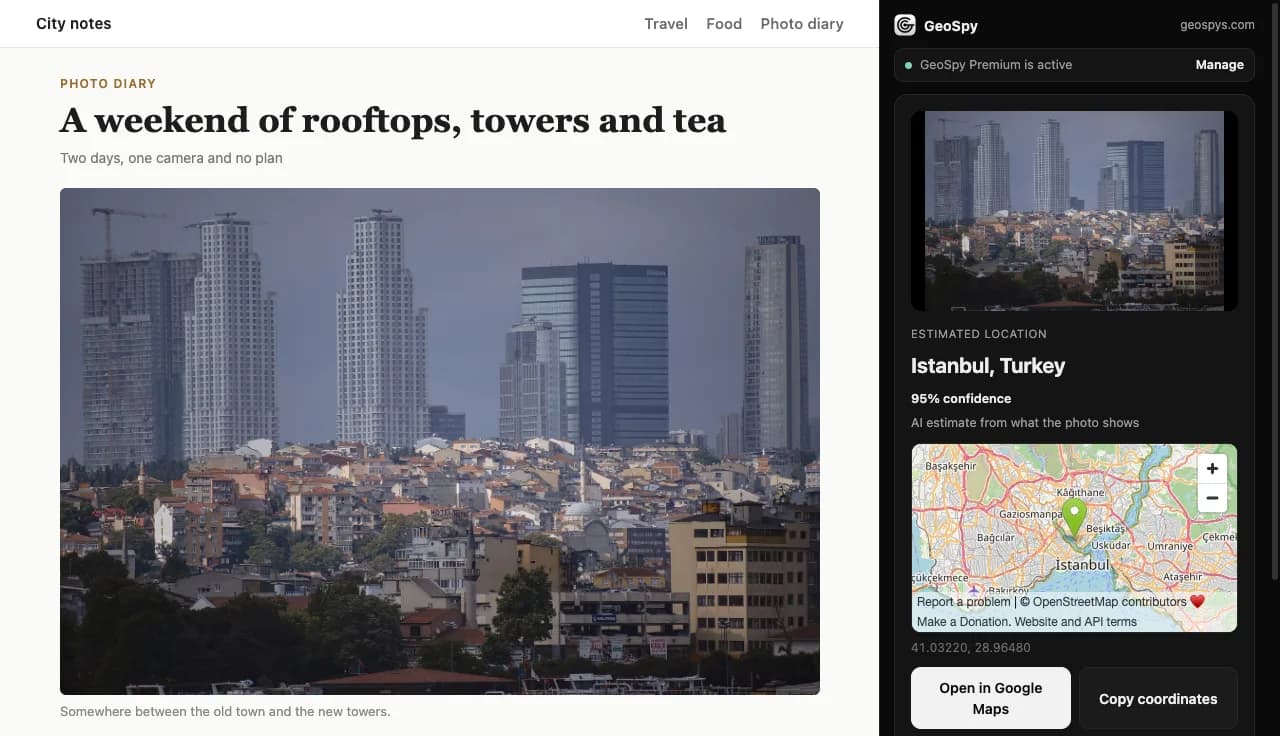
Photo location guides
How to read EXIF data, what a photo gives away when the metadata has been stripped, which apps remove location on upload, and how to work out where a picture was taken from what is visible in it.
Read the guidesFrequently Asked Questions
Everything you need to know about GeoSpy AI
Our AI provides probabilistic estimates based on deep visual analysis. Accuracy varies depending on distinctive features in the photo. The AI analyzes architecture, vegetation, landmarks, signs, and environmental context. Results are estimates for entertainment — not precise location data.
No. GeoSpy AI only provides city-level estimates. We intentionally do not provide exact addresses, GPS coordinates, or precise locations. The map shows an approximate area, not a specific point. This is a deliberate design choice for privacy and safety.
Photo analysis on this website comes with a GeoSpy subscription: Weekly, 7.99 US dollars a week, or Yearly, 29.99 US dollars a year — unlimited photo analysis on this website (fair use). Both renew automatically until you cancel, and you can cancel at any time. In Türkiye the price is charged in Turkish lira: ₺389 a week or ₺1,460 a year. The Street View game is free once a day, no account needed — and unlimited with a subscription (fair use). To try photo analysis before buying, use the GeoSpy iPhone app, which has a free trial.
In US dollars — or in Turkish lira if you are in Türkiye, because banks in Türkiye can only charge Turkish cards in lira. The lira price is the dollar price converted at the selling rate published by the Central Bank of the Republic of Türkiye and rounded up to a whole lira; that lira amount is exactly what is taken from your card. You can switch between the two on the payment page. A card in another currency is converted by its own bank at its own rate.
Not on the website: photo analysis here comes with a subscription. The GeoSpy iPhone app has a free trial, so you can try the analysis there first and decide later. The Street View game on this website is free, once a day.
Sign in with the Google account you subscribed with. The subscription belongs to that account: wherever you are signed in with it, photo analysis on this website is unlimited (fair use). Lifetime, bought before 30 September 2026, works the same way and has no end date.
Sign in and open geospys.com/abonelik, then press “Cancel subscription”. Nothing more is charged, and photo analysis stays open until the end of the period you have already paid for.
No. We do not store, save, or retain any images you upload. Images are processed in memory and immediately discarded after analysis. Your privacy is our priority — we never keep your photos.
Photos with distinctive visual features work best — architecture, landmarks, street signs, vegetation, and unique geographical features. Outdoor photos with environmental context give the best results. Indoor photos or close-ups without background context may not produce accurate estimates.
Analyse without limits
The Street View game is free — a game a day, no account needed. Photo analysis on this website comes with a subscription: unlimited (fair use), weekly or yearly, cancel any time.
| Feature | FreeWhat you have now | WeeklyWeek to week | YearlyBest value |
|---|---|---|---|
| Photo location analysisUpload a photograph and get an estimate of where it was taken | Unlimited (fair use) | Unlimited (fair use) | |
| Full analysis detailEvery signal the model used, not just the answer | |||
| Street View gameTwo rounds, three minutes each, walk as far as you like | 1 game a day | Unlimited (fair use) | Unlimited (fair use) |
| Location cluesWhat gave each place away, after every round | |||
| Price | FreePlay now | $7.99a week · renews until cancelled | $29.99a year · renews until cancelled |
Card payments are taken by Garanti BBVA and confirmed with 3D Secure. Subscriptions renew automatically until you cancel; you can cancel at any time from your account, and access lasts until the end of the period you have paid for.
“Unlimited” means there is no allowance. To stop automated abuse, one account can run up to 20 analyses every 5 hours and play up to 20 games a day.
Prices are charged in US dollars, or in Turkish lira for buyers in Türkiye — cards issued in Türkiye can only be charged in lira. The lira price is the dollar price converted at the Central Bank of the Republic of Türkiye's selling rate of 17 September 2026 (1 USD = ₺48.6749) and rounded up to a whole lira, and it is the exact amount taken from your card. You choose the currency on the payment page. A card in another currency is converted by its own bank at its own rate. (TCMB 2026/175)